
How to Cancel Telegram Premium the Right Way on Any Device

Last updated: October 2026
To cancel Telegram Premium, you must use the same platform where you originally subscribed. This means using the Apple App Store for iPhone, the Google Play Store for Android, or Telegram itself for desktop or @PremiumBot subscriptions. Telegram Premium is an optional subscription, typically costing around $4.99/month in the U.S., that unlocks advanced features like 4 GB file uploads and faster downloads. The most common cancellation error is trying to cancel in the Telegram app when the subscription is managed by Apple or Google. This guide details how to find your subscription source and cancel it correctly to prevent future charges.
The most common error is trying to cancel in the Telegram app when the subscription is managed by Apple or Google.
Key Takeaways
- Cancel Where You Paid: You must cancel your subscription on the platform you used to purchase it (Apple App Store, Google Play Store, or directly in Telegram).
- Cancellation is Not Immediate: After canceling, your Premium features remain active until the end of the current billing cycle. You do not get a prorated refund.
- Check for Confirmation: Always verify the cancellation through a confirmation email or by checking your subscription status on the platform to avoid unwanted renewals.
- Desktop and @PremiumBot are Direct: Subscriptions started on the desktop app or via @PremiumBot are managed directly within Telegram's settings, not through an app store.
- Gifting is a Non-Recurring Alternative: Services that 'gift' Premium provide a fixed-term subscription without automatic renewal, offering more control over payments.
How Do I Find My Subscription Source?
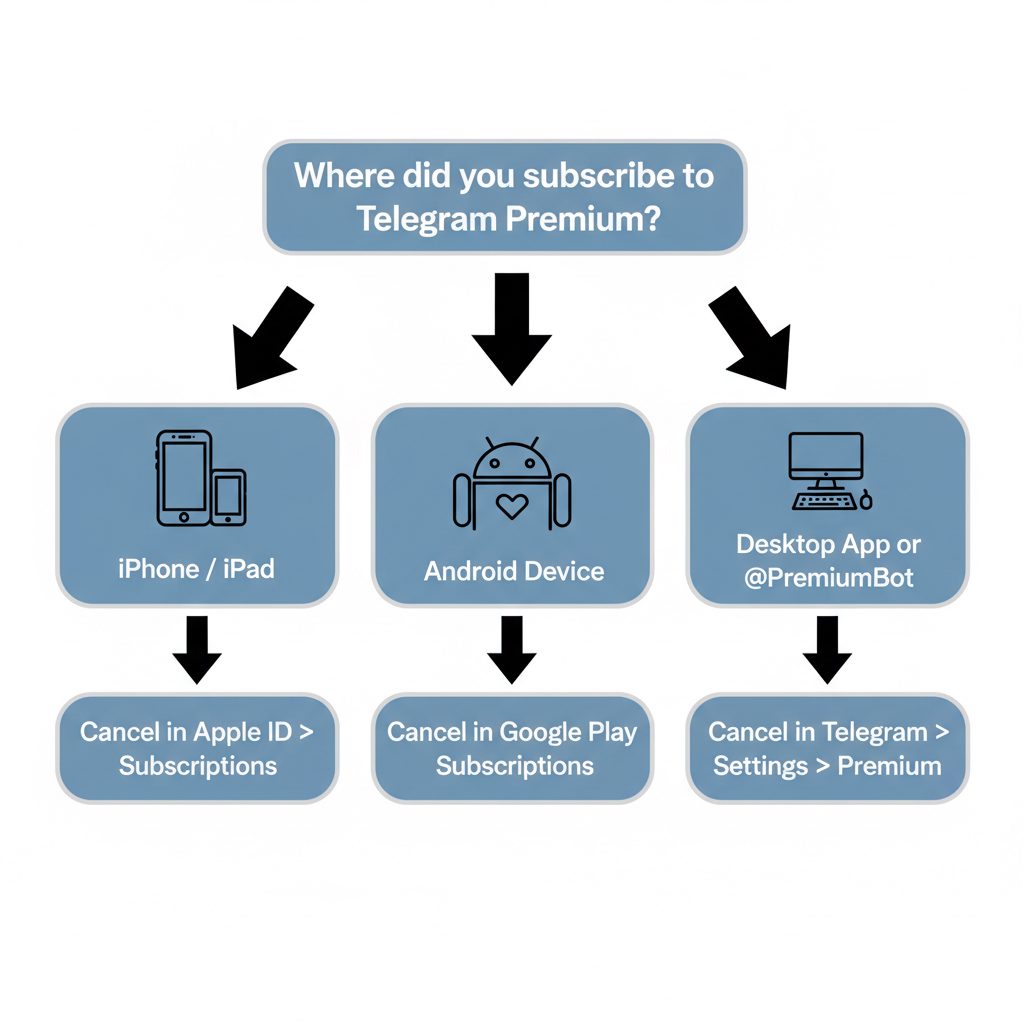
Before you can cancel, you must know where your subscription is managed. This is the single most important step. Telegram Premium subscriptions are tied to the payment service used for the initial purchase. Attempting to cancel in the wrong place will fail because the option will not be visible.
There are three main possibilities:
- Apple App Store: If you subscribed on an iPhone or iPad using the in-app purchase prompt, your subscription is managed by Apple. You must cancel it through your Apple ID settings.
- Google Play Store: If you subscribed on an Android device, your subscription is managed by Google. You must cancel it in the Google Play Store app.
- Directly with Telegram: If you subscribed using the official
@PremiumBot, the Telegram desktop app, or through a platform like Fragment, your subscription is managed directly by Telegram. You can cancel this inside the Telegram app itself.
If you are unsure, check your email receipts from Apple, Google, or Telegram for the original purchase. The receipt will confirm the vendor managing the recurring payment.
How to Cancel Your Telegram Premium Subscription: Step-by-Step
Follow the specific instructions for the platform that manages your subscription. Trying to use the iOS method for a Google Play subscription, for example, will not work.
1. Cancel on iOS (Apple App Store)
If you subscribed on an iPhone or iPad, your subscription is tied to your Apple ID.
- Open Settings: Go to the Settings app on your iPhone or iPad.
- Tap Your Name: Tap on your name and Apple ID banner at the top.
- Select Subscriptions: Tap on 'Subscriptions'.
- Find Telegram: Locate and tap on the Telegram subscription in the list of active subscriptions.
- Cancel Subscription: Tap 'Cancel Subscription'. You may need to scroll down to see the button. Confirm your choice.
Apple manages all billing and cancellation. Telegram has no ability to cancel an Apple-managed subscription on your behalf. For more details, refer to Apple's official guide on how to cancel subscriptions.
2. Cancel on Android (Google Play Store)
For subscriptions made on an Android device, cancellation occurs in the Google Play Store.
- Open Google Play Store: Launch the Play Store app on your Android device.
- Tap Profile Icon: Tap your profile icon in the top-right corner.
- Select Payments & subscriptions: From the menu, choose 'Payments & subscriptions'.
- Tap Subscriptions: Select 'Subscriptions' to see your active services.
- Find Telegram: Locate Telegram in the list and tap on it.
- Cancel subscription: Tap the 'Cancel subscription' button at the bottom and follow the on-screen instructions.
Similar to Apple, Google manages this process entirely. You can find Google's official instructions on their Play Store help page.
3. Cancel Direct Subscriptions (@PremiumBot or Desktop)
If you subscribed directly via Telegram's own bot or the desktop client, the process is different and happens inside the app.
- Open Telegram: Launch the Telegram app on any device (mobile or desktop).
- Go to Settings: Go to the app's Settings menu.
- Select Telegram Premium: Tap on the 'Telegram Premium' menu item.
- Follow Bot Instructions: The bot will guide you through the cancellation process.
This method applies only to subscriptions not processed by Apple or Google. If you don't see a cancellation option here, your subscription is managed by an app store.
Subscription Management Method Comparison
Understanding the differences in management can prevent confusion. The key is that app stores act as middlemen for payments and subscription control.
| Cancellation Method | Platform | Managed Via | Key Characteristic |
|---|---|---|---|
| App Store | iOS (iPhone/iPad) | Apple ID Settings | Centralized management for all iOS apps; Telegram cannot override. |
| Google Play | Android | Google Play Account | Centralized management for all Android apps; requires Play Store access. |
| @PremiumBot | Any | Telegram App | Direct-billed by Telegram; cancellation is done via bot commands. |
| Desktop App | macOS/Windows/Linux | Telegram Desktop Settings | Direct-billed; offers a way to subscribe without mobile app stores. |
| Fragment | Any (Web) | Fragment Website | Non-recurring purchase with cryptocurrency; no cancellation needed. |
What Happens After You Cancel?
When you cancel Telegram Premium, your access does not end immediately. Your account retains all Premium features until the end of the current, already-paid-for billing period. For example, if your subscription renews on the 25th of the month and you cancel on the 10th, you will still have Premium until the 25th.
At the end of the billing period, your profile badge will disappear and you will lose access to exclusive stickers and reactions. Upload limits revert to the standard 2 GB, and download speeds may be deprioritized. You also lose the doubled limits on things like channels and pinned chats.
Your account and data are not affected. For a detailed feature comparison, our guide on Telegram Premium vs Discord Nitro breaks down the specific benefits.
Where TgFather's Non-Recurring Premium Fits In
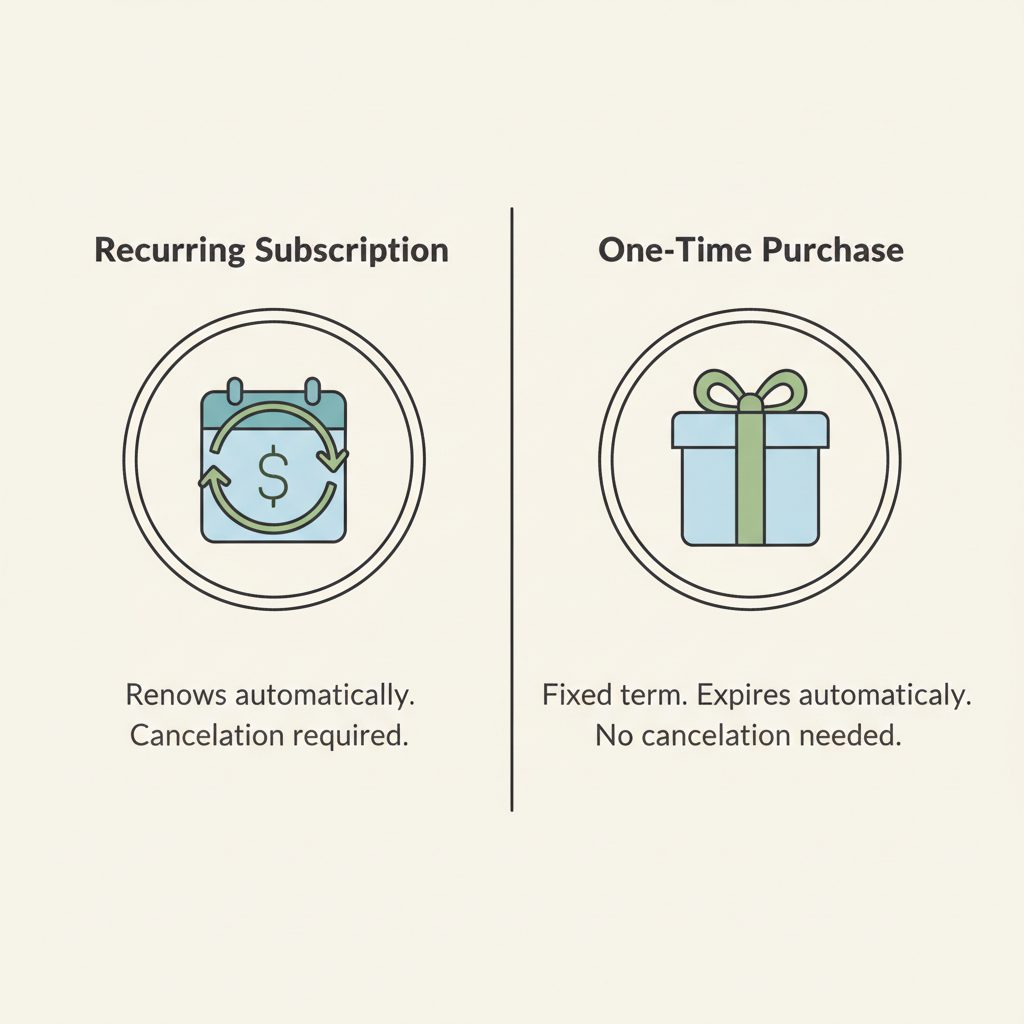
Many users cancel recurring subscriptions due to a desire for more control over payments, not because they dislike the service itself. If you want Premium features without committing to an automatic monthly or yearly charge, a non-recurring subscription is a practical alternative.
TgFather offers a Telegram Premium Subscription that functions as a one-time purchase. Instead of setting up a recurring payment, you purchase a 3, 6, or 12-month Premium subscription which is applied to your account as a gift. It provides the full feature set for the chosen duration and simply expires at the end. There is no automatic renewal and no need to cancel.
This approach is ideal for:
- Users who prefer to pay for services on their own schedule.
- Account managers handling multiple accounts who need predictable, fixed costs.
- Anyone who wants to avoid the hassle of managing and canceling recurring subscriptions through app stores.
However, if you prefer the convenience of automatic renewal and don't mind the subscription being tied to your Apple or Google account, the official method is more straightforward. Our service is for those who want to opt out of that model. For more on pricing and discounts, see our analysis of how much Telegram Premium costs.
What to check first
Before you decide on your next steps, take a moment to review your needs. The process of canceling a subscription is often a good time to re-evaluate how you use a service.
- Verify Cancellation: Double-check your Apple or Google account to ensure the subscription status is 'Expired' or 'Canceled', not just 'Expiring soon'.
- Evaluate Feature Loss: Consider which Premium features you will miss most. Is it the larger file uploads, the faster downloads, or the profile customization? This will help you decide if you need to find an alternative.
- Consider a Non-Recurring Option: If your main issue was the automatic renewal, explore purchasing a fixed-term Telegram Premium Subscription that doesn't auto-renew.
- Explore Other Payment Methods: If you canceled due to payment method issues, remember you can buy Telegram Premium with crypto for more flexibility.
- Review Your Usage: If you rarely used the premium features, perhaps the standard version of Telegram is sufficient for your needs.
Frequently Asked Questions
What is Telegram Premium?
Telegram Premium is an optional paid subscription that unlocks enhanced features for the Telegram messaging app. These include doubled limits (e.g., file uploads up to 4 GB), faster downloads, exclusive stickers and reactions, advanced chat management tools, a profile badge, and no ads in public channels. It's designed for power users and those who want to support the platform's development.
How do I get a Telegram Premium subscription?
You can purchase a Telegram Premium subscription in several ways. You can subscribe directly within the Telegram app on iOS or Android, where payment is handled by the App Store or Google Play. Alternatively, you can subscribe via the official @PremiumBot or the Telegram Desktop app. Some platforms also allow you to purchase it as a non-recurring gift.
Can I use Telegram only with Premium?
No, Telegram's core features are free and will remain free. The Premium subscription is entirely optional and offers enhancements for users who want more. You can send messages, make calls, create channels, and use bots without ever paying for a subscription. Premium is an add-on, not a requirement to use the service.
What are the main Telegram Premium features?
Telegram Premium features include: 4 GB file uploads, faster download speeds, the ability to follow up to 1,000 channels, 20 chat folders, 10 pinned chats, animated profile pictures, a premium badge, exclusive app icons, advanced chat management, and voice-to-text transcription. It also removes sponsored messages that appear in some public channels.
How much is Telegram Premium?
The price of Telegram Premium varies by country and the platform you subscribe through. It typically costs between $3.99 and $5.99 per month in the United States. Subscribing for a full year often provides a significant discount.
How much is Telegram Premium per month?
Monthly pricing for Telegram Premium is dynamic and depends on your region and the purchase method. In the U.S., it's usually around $4.99/month. However, you can often find lower prices by paying for a full year upfront or by subscribing directly through Telegram's @PremiumBot. This bypasses the fees charged by the Apple App Store or Google Play Store, which can result in different pricing tiers.