
Telegram Premium vs Discord Nitro: A Technical Breakdown for Pro Users

Last updated: October 2026
Deciding between Telegram Premium and Discord Nitro is a key choice about your communication tools and budget. For professionals managing large communities or sending digital files, the right subscription service directly impacts workflow and costs. This analysis breaks down the telegram premium vs discord nitro debate by focusing on the technical details and business uses that matter, not just cosmetic perks.
Telegram Premium and Discord Nitro are the paid subscription tiers for their respective messaging platforms. Each one unlocks advanced features beyond the free version, such as larger file uploads and better customization. This choice dictates your abilities in file sharing, community management, and operational costs.
Key Takeaways
- Prioritize file distribution with Telegram Premium: Its 4 GB upload limit is ideal for delivering large files directly to an audience.
- Choose Discord Nitro for interactive community features: Server Boosts, HD streaming, and advanced roles are built for real-time engagement.
- Analyze cost-at-scale: Nitro's Server Boosts create a variable, community-dependent cost. In contrast, Telegram Premium is a flat per-user fee.
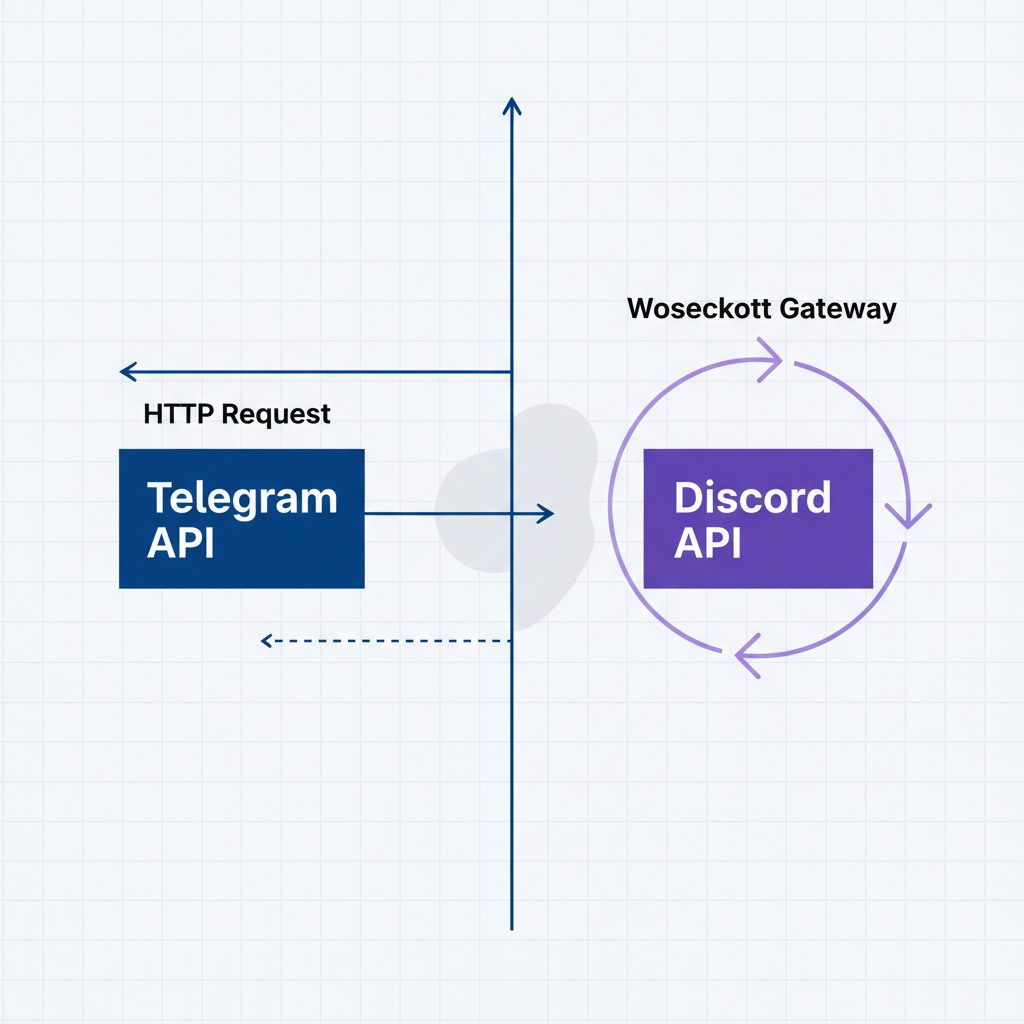
- Evaluate API and bot differences: Telegram offers a simpler, HTTP-based bot API perfect for broadcasting. Meanwhile, Discord's Gateway API supports more complex, interactive bots.
Feature-by-Feature Technical Comparison
The main value of each service comes from its features. While both offer custom emojis and profile badges, the important differences are in file handling, communication methods, and community structure. Below is a direct comparison of the specifications that impact professional work.
| Feature | Telegram Premium | Discord Nitro | Best for |
|---|---|---|---|
| Max File Upload | 4 GB | 500 MB (Nitro) | Large file distribution |
| Video Streaming | N/A (Video calls exist) | Up to 4K at 60 fps | Live content, screen sharing |
| Custom Emojis | Unlimited static & animated | Unlimited, cross-server | High-interactivity communities |
| Community Structure | Channels (broadcast), Groups (chat) | Servers with granular channels/roles | Structured, multi-topic discussion |
| Member Limit | 200,000 per group | No hard limit, UX degrades | Mass audience broadcasting |
| Monetization | Telegram Stars, Ad Platform | Server Subscriptions, Boosts | Community-funded perks |
| API Type | Simple HTTP Bot API | Gateway (WebSocket) & REST API | Varied bot development needs |
| Cost Model | Flat monthly/annual fee | Tiered monthly/annual + Boosts | Predictable vs. variable spending |
How Do Telegram and Discord Compare for Community Managers?
For community managers, the choice depends on the desired communication model. Telegram excels at mass communication. On the other hand, Discord provides a framework for structured, multi-topic interaction.
Telegram's design centers on Channels (one-to-many broadcasts) and Supergroups. This setup is ideal when the main flow of information is from an administrator to members. Premium features like advanced chat folders and auto-archiving help admins manage high message volumes.
Telegram's structure is fundamentally designed for large-scale broadcasting and serves a massive user base.
900 million people were using Telegram monthly as of early 2024. — Telegram Blog, 2024.
Discord, in contrast, is built for community-as-a-place. Servers are organized into categories and channels with strong role and permission systems. This design allows for fine-grained control over who can see, post, and interact in specific sections.
The main benefit of Discord Nitro for a manager is providing Server Boosts. These boosts unlock higher audio quality, more emoji slots, and vanity URLs for the whole community. However, this comes at a cost. A server needs 14 paid boosts to reach the highest level of perks, creating a variable expense.

Which is Better for Creators: Distribution or Engagement?
If your business involves distributing digital goods like software or video courses, Telegram Premium's value is clear. The 4 GB file upload limit is its defining feature.
This large limit allows creators to deliver products directly within a private channel. It bypasses the need for third-party hosting services like Google Drive or Dropbox. As a result, this simplifies the user experience and keeps the customer journey inside Telegram. Combined with the ability to buy aged Telegram channels, a reseller can acquire an established distribution network.
The ability to upload files up to 4 GB is a significant advantage for creators focused on delivering large digital products.
Discord Nitro, with its 500 MB limit, is not designed for large file distribution. Instead, its strength for creators is building a highly engaged community. High-definition streaming (up to 4K at 60 fps) is perfect for live workshops or tutorials. Server Subscriptions also let creators monetize their community directly on Discord, offering exclusive content for a monthly fee. Nitro enhances this by giving the creator's profile more flair and letting them use their custom emojis anywhere.
How Do Their APIs and Bot Capabilities Differ?
Both platforms have powerful bot ecosystems, but their APIs reflect their core designs. This technical difference greatly affects automation and service integration.
Telegram's Bot API is a straightforward, request-response model based on HTTP. This makes it very easy to start building bots. You can create bots that post messages, send files, and manage groups with simple server-side scripts. This approach is perfect for automation tasks like posting RSS feeds to a channel.
According to its official documentation, the Telegram Bot API is an "HTTP-based interface created for developers keen on building bots for Telegram."
Discord’s API is more complex and powerful. While it has a REST API, most real-time bot functions use the Gateway, a persistent WebSocket connection. This is essential for the interactive nature of Discord bots that respond instantly to commands and manage roles. Building a Discord bot requires managing this connection, making development more involved but enabling richer interactions.
Discord's API services aim for high reliability to support these real-time interactions, as shown on its official status page.
FAQ
Which is cheaper, Telegram Premium or Discord Nitro?
Telegram Premium generally has a lower base price than the full Discord Nitro tier. However, Discord also offers a cheaper "Nitro Basic" plan with fewer features. The total cost for Discord can increase significantly if you purchase Server Boosts for communities.
Can I use Telegram Premium for business?
Absolutely. The 4 GB file upload limit, faster download speeds, and advanced chat organization tools make it a powerful asset for content distribution, client communication, and managing large-scale announcement channels for your business.
Is Discord Nitro or Telegram Premium better for privacy?
Telegram is built on a foundation of privacy, with features like end-to-end encrypted secret chats. While Discord has robust privacy settings, its data collection model is more aligned with a typical social media platform. For maximum privacy, Telegram's architecture is generally considered superior.
Do I need Nitro to have a good experience on Discord?
No. Discord's core functionality—text chat, voice channels, and community browsing—is completely free. Nitro is a power-user upgrade for those who want higher quality streaming, larger uploads, and more extensive personalization options like custom emojis everywhere.
What to do this week
- Audit your file sharing needs: Log the size of the 10 largest files you've needed to share with your community or team in the last month. If they consistently exceed 500 MB, Telegram's architecture is a better fit.
- Calculate your true Discord cost: If you manage a Discord server, calculate the monthly cost to reach Level 2 or Level 3 via Server Boosts. Compare this variable expense to Telegram Premium's fixed per-user cost.
- Map your community interaction model: Do you primarily broadcast information one-way, or do you need dozens of structured sub-channels for discussion? Your answer points directly to either Telegram Channels or a Discord Server.
- Review the API documentation: If you plan to build bots, spend 30 minutes reading the intro pages for both the Telegram Bot API and the Discord Developer Portal. The difference in complexity and approach will be immediately apparent.