
What the SGL Telegram Premium Charge on Your Card Statement Means
Last updated: October 2026
The 'SGL Telegram Premium' line on your bank statement refers to a payment for Telegram's premium subscription service. The 'SGL' is a transaction descriptor, most likely indicating the payment was processed through Telegram's operational hub in Singapore, not a separate company.
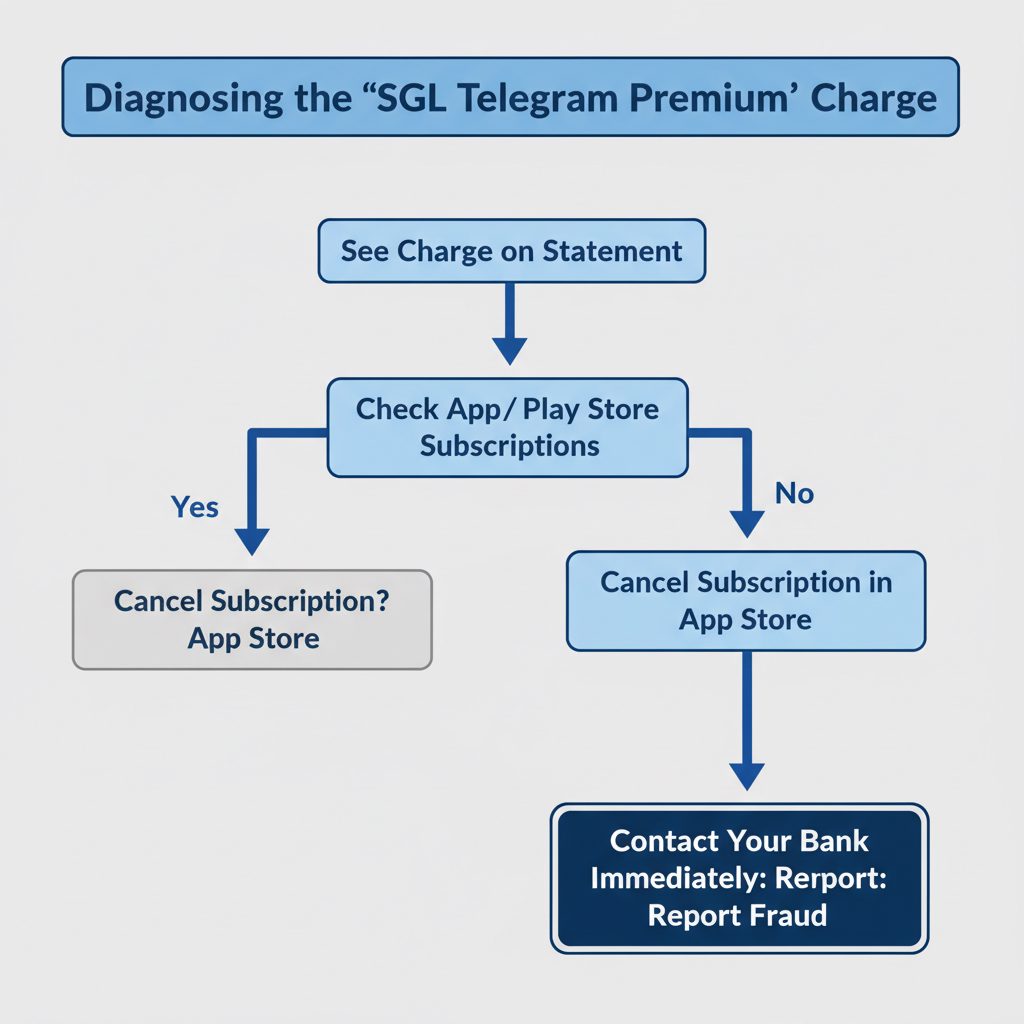
If you see this charge, it means your card was used to purchase or renew a Telegram Premium subscription. This could be a subscription you initiated and forgot, one made by a family member, or a fraudulent transaction using stolen card details. The first step is to check your active subscriptions within the Apple App Store or Google Play Store to confirm if the charge is legitimate.
This guide explains what the SGL code means, how to identify the source of the charge, and the exact steps to take if it's unauthorized. We also cover how to manage your subscription or purchase it through alternative methods that offer more control over payments.
Key Takeaways
- Identify the Charge's Origin: The 'SGL' prefix on a charge for Telegram Premium is a payment processor code, likely indicating Singapore, where Telegram has a major office. It is not a separate entity.
- Verify Your Subscriptions: Before assuming fraud, check for active subscriptions in your phone's settings under Apple ID or Google Play account. Many charges are forgotten recurring payments.
- Act Immediately on Fraud: If you cannot find a corresponding subscription, contact your bank or credit card company right away to report an unauthorized transaction and request a chargeback.
- Use Official Cancellation Channels: Cancel unwanted subscriptions directly through the platform you used to subscribe: the App Store, Google Play Store, or Telegram's official @PremiumBot.
- Consider Alternative Payments: To avoid recurring charges, you can use services that offer one-time purchases of Telegram Premium subscriptions as gifts, providing better cost control.
What Does 'SGL Telegram Premium' Mean on a Bank Statement?
The appearance of an unfamiliar charge like "SGL Telegram Premium" can be alarming. Breaking it down reveals its likely meaning. The charge is for Telegram's paid subscription tier, and the prefix is a standard part of how international transactions are labeled.
'SGL': This is a merchant category or location code used by payment processors. In this context, it almost certainly stands for Singapore. Telegram's parent company, Telegram Group Inc., is legally based in the British Virgin Islands, but it maintains significant operational offices in Dubai and, critically, Singapore. International companies often process payments through regional hubs.
'Telegram Premium': This is the official subscription service launched by Telegram. It offers users enhanced features beyond the standard free version, such as larger file uploads, faster downloads, and exclusive stickers.
So, the charge is not from a mysterious third-party company named SGL. It is a direct charge for Telegram Premium, processed through a financial gateway that tags the transaction with its location code, which in this case points to Singapore.
Telegram's operational structure is global. While its legal domicile is elsewhere, its terms of service and public presence confirm a key operational base in Singapore, making it a logical point for payment processing. This is a common practice for large tech firms.
Why Am I Being Charged for Telegram Premium?
There are four primary reasons why a charge for Telegram Premium might appear on your statement. It is important to distinguish between them to determine the correct course of action.
- A Forgotten Subscription: This is the most common reason. You may have subscribed months ago, perhaps during a trial or promotional period, and forgotten that it auto-renews monthly or annually.
- A Purchase by a Family Member: If you share your payment information through a family sharing plan on Apple or Google, another person may have subscribed using your card.
- Fraudulent Use of Stolen Card Details: Your credit card number may have been compromised in a data breach unrelated to Telegram, and fraudsters are using it to purchase digital goods like Premium subscriptions, which are easy to acquire and hard to trace.
- Malware or Phishing: You might have inadvertently installed a fake version of Telegram or entered your payment details on a phishing site disguised as a legitimate service, granting attackers access.
This table outlines how to approach each scenario:
| Scenario | How to Verify | Next Step |
|---|---|---|
| Forgotten Subscription | Check Apple/Google subscription history. | Cancel the subscription via the app store. |
| Family Member Purchase | Ask family members linked to your account. | Discuss the purchase; cancel if necessary. |
| Stolen Card Fraud | Charge appears with no matching subscription. | Contact your bank immediately to report fraud. |
| Malware/Phishing | You recall downloading an app from an unofficial source. | Run a malware scan on your device and contact your bank. |
How to Check and Cancel Your Official Telegram Premium Subscription
If you suspect the charge is from a legitimate but unwanted subscription, you must cancel it through the same platform you used to sign up. Canceling the app does not cancel the subscription.
Canceling on iOS (iPhone/iPad)
Apple handles all subscriptions made through the App Store.
- Open the Settings app on your device.
- Tap your name at the top to access your Apple ID settings.
- Select Subscriptions.
- Find the Telegram subscription in the list and tap on it.
- Tap Cancel Subscription. If there is no cancel button, it has already been canceled.
Canceling on Android (Google Play Store)
Google manages subscriptions made through the Play Store.
- Open the Google Play Store app.
- Tap your profile icon in the top-right corner.
- Select Payments & subscriptions, then Subscriptions.
- Locate the Telegram subscription.
- Tap Cancel subscription and follow the prompts.
Canceling via @PremiumBot
If you subscribed directly using the @PremiumBot within Telegram, you must use it to cancel.
- Open Telegram and search for
@PremiumBot(ensure it has the blue verification checkmark). - Start a chat with the bot.
- Type
/stopand send the message. - The bot will guide you through the cancellation process.
Note: According to both Apple's and Google's official support pages, you must cancel at least 24 hours before the renewal date to avoid being charged for the next billing cycle.
Where TgFather Fits: A Transparent Way to Get Telegram Premium
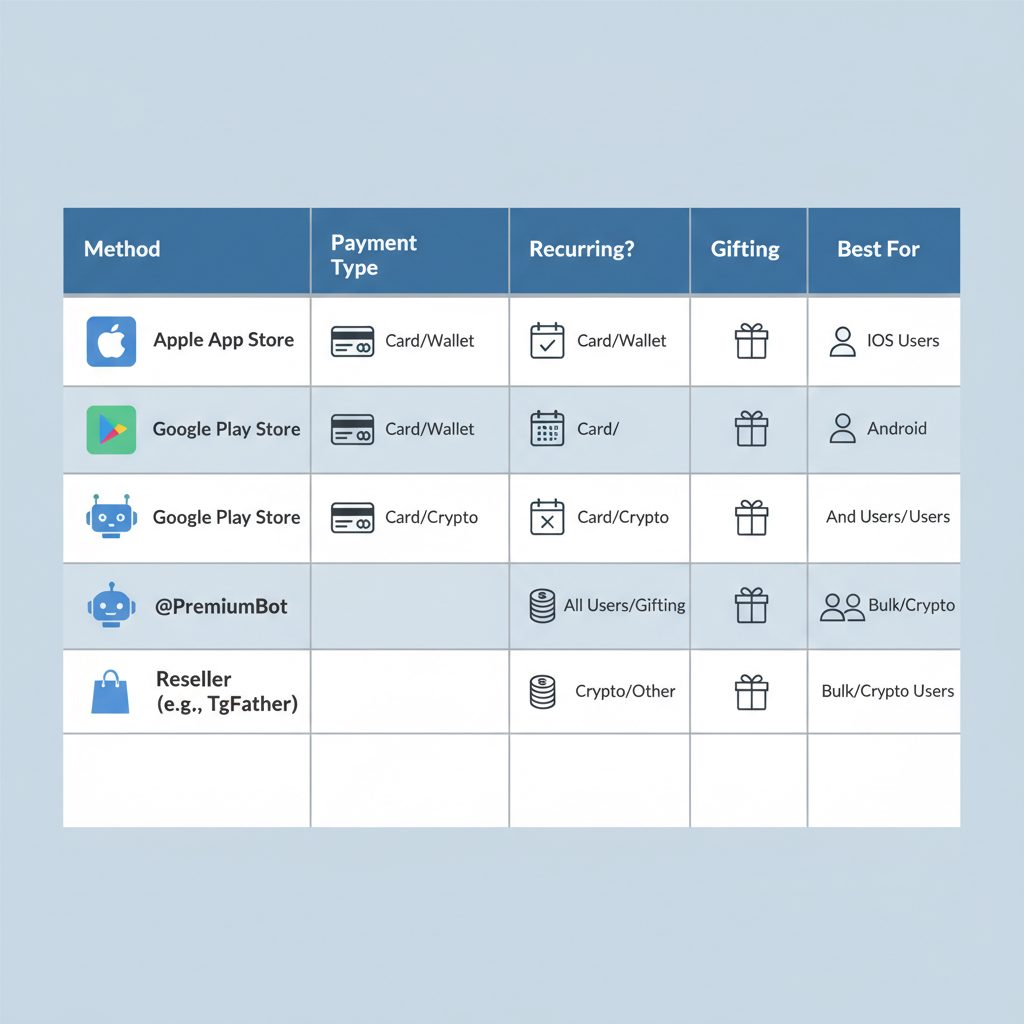
For users wary of recurring subscriptions or those who have had negative experiences with app store billing, direct purchase methods offer more control. TgFather provides a way to acquire a Telegram Premium Subscription without attaching your credit card to an auto-renewing plan.
The service works by selling Premium as a one-time gift. You make a single payment for a specific duration (e.g., 3, 6, or 12 months). There are no recurring charges. This method is ideal for users who want to budget precisely, gift Premium to another account, or avoid the potential hassle of forgotten cancellations. For example, you can learn more about how to buy Premium with crypto for even greater privacy.
However, this approach is not for everyone. If you prefer the set-and-forget convenience of an automatically renewing subscription managed by your phone's operating system, sticking with the official App Store or Google Play methods is the better choice.
What to Do If the Charge Is Unauthorized
If you have confirmed that the charge is not from a subscription you or a family member initiated, you are likely a victim of fraud. Time is critical.
- Contact Your Bank or Card Issuer: This is your most important step. Call the fraud department number on the back of your card. Report the 'SGL Telegram Premium' charge as unauthorized. They will likely cancel the card and issue a new one to prevent further fraudulent charges.
- Request a Chargeback: While on the phone with your bank, formally request a chargeback for the transaction. The bank will investigate the claim and, if successful, reverse the payment.
- Review Recent Statements: Carefully check your bank and card statements for any other small, unfamiliar charges. Fraudsters often test stolen cards with small purchases before making larger ones.
- Secure Your Accounts: Change the passwords for your primary email and financial accounts. Enable two-factor authentication (2FA) everywhere possible.
- Scan Your Devices: Use a reputable antivirus and anti-malware program to scan your computer and smartphone to ensure your device wasn't compromised.
Attempting to contact Telegram support for a refund is generally not effective for fraud cases. Payment disputes are handled by financial institutions, not the merchant. Your bank is your primary and most powerful advocate in this situation.
Frequently asked questions
What is Telegram Premium?
Telegram Premium is an optional paid subscription that enhances the standard Telegram experience. It provides features like 4 GB file uploads, faster download speeds, exclusive stickers and reactions, advanced chat management tools, and removes ads in channels.
How much does Telegram Premium cost?
The price of Telegram Premium varies by country and the platform you subscribe through. It typically ranges from $3.99 to $5.99 per month in the United States. Annual subscriptions and purchases made through alternative methods, such as resellers, often offer a discount over the monthly app store price. You can find a detailed breakdown in our guide on Telegram Premium pricing.
What are the main features of Telegram Premium?
Key features include doubled limits (e.g., joining up to 1,000 channels), 4 GB file uploads, faster downloads, voice-to-text conversion for voice messages, unique stickers with full-screen animations, additional reactions, and profile badges. It also offers more tools for organizing chats, like custom folders. For a direct comparison with other services, see our analysis of Telegram Premium vs Discord Nitro.
How do I manage my Telegram Premium subscription?
You manage your subscription through the platform where you originally paid. If you subscribed on an iPhone, use the App Store settings. If on Android, use the Google Play Store. If you used Telegram's @PremiumBot, you must interact with the bot to make changes or cancel.
Can I get Telegram Premium for only one month?
Yes. While app store subscriptions auto-renew by default, you can subscribe and then immediately cancel. This preserves your Premium access for the month you paid for but prevents future charges. Alternatively, you can use a service that sells fixed-duration subscriptions, like a one-time purchase of a 3-month plan.
Why does my statement say SGL Telegram Premium?
The 'SGL' on your statement is a transaction code used by the payment processor, likely indicating the charge was processed in Singapore, a major operational hub for Telegram. The charge itself is for a Telegram Premium subscription. It is not from a different company named 'SGL'.